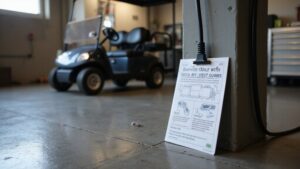
Noticing your golf cart isn’t performing like it used to? If it’s slowing down, losing range quickly, or struggling to start, your batteries might be failing.
Recognizing the signs early can save you time and money before a complete breakdown occurs. Keep reading to learn the key indicators that your golf cart batteries need attention.
Notice Battery Failure While Driving: 6 Performance Red Flags
Reduced driving range, slow acceleration, voltage sag under load, poor hill-climbing, sudden shutdowns, and electrical symptoms are clear red flags signaling battery failure. If your golf cart travels significantly fewer miles after a full charge despite proper maintenance, it’s a sign the batteries are weakening. Feel for delayed pedal response and sluggish speed build-up; these issues often indicate diminished power output. When climbing hills or carrying heavier loads, watch for voltage drops that cause the cart to hesitate or slow considerably—the batteries can’t sustain the demand. Sudden shutdowns or dying early, even after a full charge, suggest a failing pack. Additionally, dimming headlights or flickering accessories point to unstable electrical output, confirming battery issues. Frequent full discharges accelerate capacity loss and shorten the battery’s useful life substantially. Buying a top golf cart battery charger can help test and maintain battery health, preventing premature failure. Recognizing these signs early can prevent breakdowns and costly repairs. Regularly checking water levels in flooded lead-acid batteries is essential to avoid permanent damage from sulfation.

48V 15A GOLF CART CHARGER: Built for Yamaha G29 Drive & Drive 2 golf cart batteries. FirstPower golf cart charger features upgraded 3-Pin Leaf plug for instant plug-and-charge simplicity, are perfectly compatible with the golf cart. Optimized for 48V lead-acid systems (excludes lithium), its adaptive charging algorithm prevents sulfation. The ultimate 48V battery charger replacement for fast, reliable power delivery.

【Professional Rapid Charger】Lztsuply chargers are Factory Outlet, which has 20 years production R&D experience. High-performance 12/15Amp smart charger, compatible with 48V EZGO RXV & TXT Golf Carts with 3-Pin Triangular Plug and has an extra-long 16ft power cable, providing great flexibility. Perfect for 48v lead-acid battery systems, this industrial-grade charger delivers fast, safe and efficient charging to keep your golf cart running at peak performance.

48V 15A GOLF CART CHARGER: Built for Club Car cart batteries. FirstPower golf cart charger features upgraded 3-Pin Round plug for instant plug-and-charge simplicity, are perfectly compatible with the golf cart. Optimized for 48V lead-acid systems (excludes lithium), its adaptive charging algorithm prevents sulfation. The ultimate 48V battery charger replacement for fast, reliable power delivery. (NOTE: 1) NOT FOR 48 VOLT STAR GOLF CART 2)This is only applicable to lead-acid batteries, not lithium batteries.)
Learn to Spot Charging Problems That Reveal Weak Batteries
Charging problems often reveal weak batteries even if the charger appears to be functioning normally. You may notice that the charging cycle now takes significantly longer than before, sometimes stretching into 15–20 hours instead of the usual overnight charge. This indicates battery sulfation, which diminishes capacity and acceptance of charge. Your charger might click, buzz, or shut off prematurely, never reaching the full-charge stage. Unlike high-performance golf carts that prioritize speed through upgraded motors and higher voltages, your cart’s inability to maintain power likely stems from battery sulfation reducing capacity. To prevent this, you should always perform routine maintenance such as cleaning terminals and checking water levels monthly. Additionally, if your cart is driven on public roadways, New York’s strict regulations may require it to meet specific safety equipment and registration standards separate from battery health.
After a complete charge, the batteries can drain quickly, forcing you to increase your charging frequency just to get through a single round. Uneven charge acceptance suggests that one weak cell is dragging down the entire pack, compromising overall performance. Physical signs such as swelling, corrosion, or hot batteries further confirm that your issues stem from battery failure rather than a faulty charger.
Use a Multimeter to Test Voltage and Confirm a Bad Battery
Use a multimeter set to DC volts with a range higher than your battery’s rating. Connect the red lead to the positive terminal and the black lead to the negative terminal. Turn the cart off before testing each battery individually. A fully charged 6V battery should read between 6.3 and 6.4 volts, an 8V battery between 8.2 and 8.4 volts, and a 12V unit between 12.6 and 12.7 volts. Allow the batteries to rest at least an hour after charging to eliminate surface charge effects. Before testing, clean any terminal corrosion to ensure accurate readings. If a battery’s voltage measurement is significantly below its typical range, it usually indicates a failure. Large voltage differences between batteries in the same pack also suggest a malfunctioning unit. To further diagnose, test the entire pack; low overall system voltage combined with a weak individual battery confirms the problem. Consistently low readings across all batteries point to multiple failures. For a similar diagnostic approach, consider testing the voltage of your cart’s light bar to ensure it is receiving proper power. Replacing failing batteries can significantly improve your cart’s overall performance and extend its usable life. Just as a worn battery reduces drive time, a cracked windshield can compromise your cart’s safety and visibility while driving.

Customer Service: KAIWEETS provides a lifetime after sale service and technical support. This digital multimeter is included with 2 AAA batteries (pre-installed), comes with a carrying case and 2 decent cable leads.
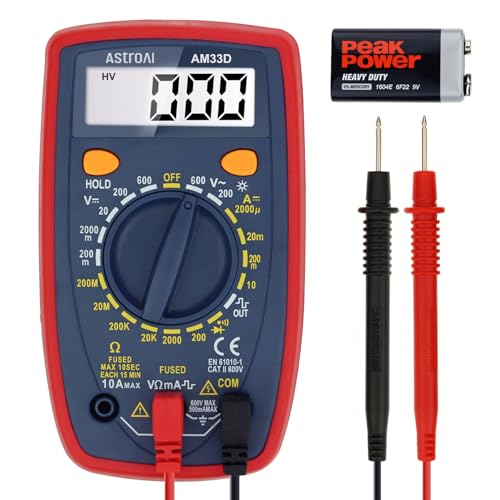
Additional Tips - The following incorrect operations may cause the multimeter not to show results: Firstly, the plugs of test leads are not fully inserted or not inserted into the correct sockets. Secondly, the manual rotary switch is not placed in the correct position. In addition, this meter can not test all AC Current and below 100mV AC Voltage. Please check the user manual carefully before measurement.

Accurately Test Full Features: Accurately measures AC/DC voltage, DC current, resistance, continuity test, diode and batteries.
Inspect Your Batteries for Swelling, Cracks, and Visible Damage
Inspect your batteries carefully; signs of swelling, cracks, or other visible damage are immediate red flags. A bulging battery casing signals internal gas buildup or overheating, often caused by cell failure. If the sidewalls or cover seams look distorted, remove that battery from service promptly. Choosing a replacement with durable hub caps can help protect the battery compartment from debris and vibration. Cracks in the shell, even tiny ones, can worsen with vibration, leading to leaks and electrolyte loss. Look closely around the posts for white, green, or blue deposits—these indicate terminal corrosion, which is more concerning if paired with swelling or cracks. Any wet spots, seepage, or sticky residues near seams show electrolyte escape and suggest the battery is near failure. Loose or damaged posts also warn of internal pressure stress. Switching to a lithium golf cart model can reduce these failure risks due to better heat management and sealed construction. For accurate diagnosis, a top load tester can confirm whether internal cells are still viable. If you see any deformation, leakage, or structural damage, replace that battery immediately. Don’t continue using damaged batteries, as they cannot be fixed by testing later.
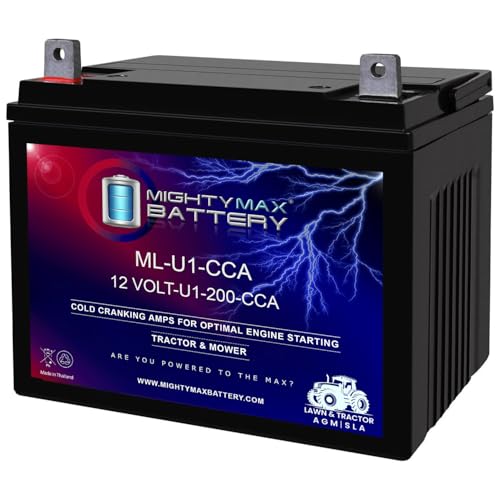
ML-U1 is a 12V 200 Cold Cranking Amps (CCA) Sealed Lead Acid (SLA) Battery

Extend Battery Life Before Replacing: Battery Renew Solution breaks down harmful lead sulfate buildup on battery plates and restores charging capacity in flooded lead acid batteries. Stop buying new batteries and bring your existing ones back to life. Can take up to 10 days of regular charging for full effect

All-in-One 48V Lithium Golf Cart Battery Upgrade Kit – Comes with everything you need for a seamless upgrade: a high-performance 58.4V 18A charger, 2.8-inch LCD touch display for real-time monitoring, and a durable retention strap—no additional accessories required.
Electrical Warning Signs: Noises, Dim Lights, and Power Loss
Listening for electrical warning signs is crucial once visible damage is ruled out. Unusual noises, such as hissing or boiling sounds, indicate overcharging or a failing battery, especially if hot to the touch or accompanied by a sulfur smell. Dim lights or flickering LEDs typically point to voltage drops caused by weak batteries. If your cart loses speed or the power seems to fade under acceleration, it suggests the battery pack can’t supply enough current, signaling imminent failure. Proper battery maintenance—like ensuring clean, corrosion-free terminals—and regular electrical troubleshooting can help you catch these issues early. Checking voltage with a multimeter is key: healthy 6-volt batteries should rest around 6.3 to 6.4 volts. When you notice lights dimming, power fading, and voltage dropping simultaneously, it’s likely time to replace the batteries before being stranded. If you suspect the controller is also contributing to power loss, reviewing top controllers can help identify a compatible upgrade. Consider a mounting bracket cooler to keep drinks cold while you upgrade your ride. Reviewing top golf cart models with roofs can help you compare quality and performance when choosing a replacement cart.